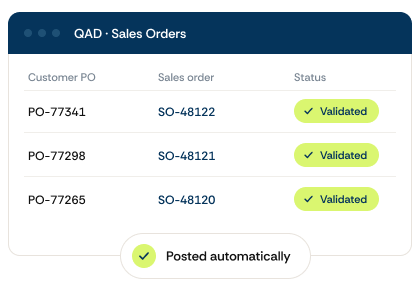
Customer POs In. Sales Orders Out.
You already know us for the invoices coming in. Now we do the same for the orders coming in.
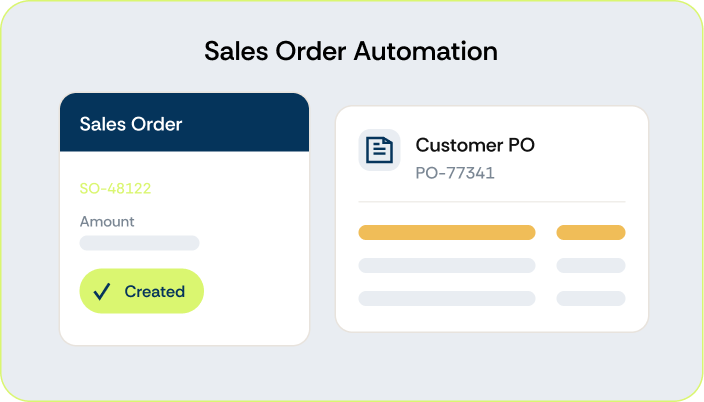
Customer POs are read down to the line, checked against your QAD data, and created as sales orders. Entry stops being the thing your orders wait on.
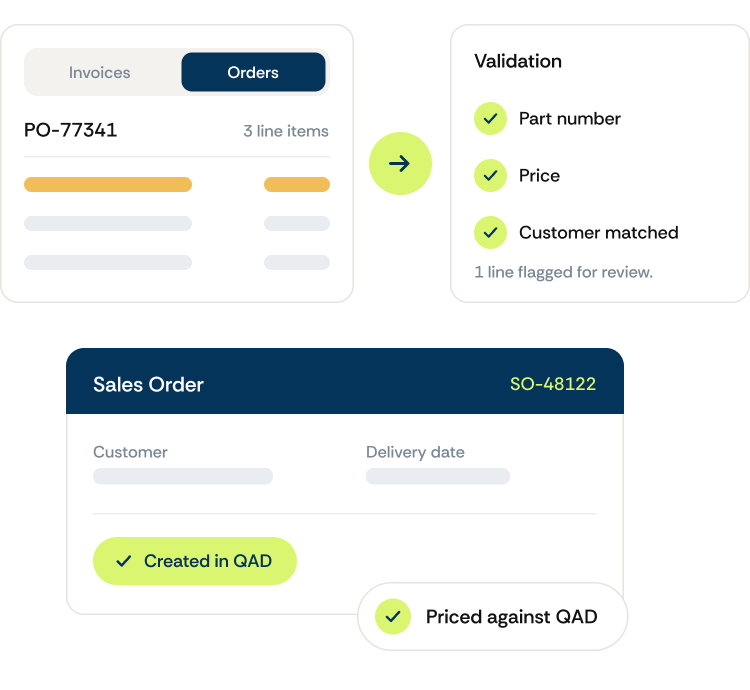
From a customer PO to sales order
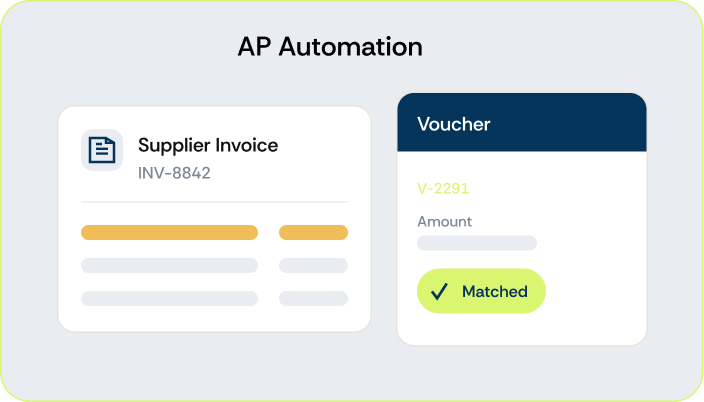
The same AI engine that powers AP Automation, now for sales orders.


Why it matters

Product moves sooner
An order sitting in an inbox is not on the schedule, not on the floor, and not shipping. Take days out of entry and everything downstream starts earlier.

Customers and items match themselves
Customer lookup runs against live QAD, and customer part numbers translate to your items. Fix a match once and it stays fixed.
Complex POs get read, not retyped
Multi-page orders with spec sheets and dozens of lines are read down to the line level. That accuracy is what makes this work now when it did not before.

Pricing errors surface before they book.
Every line is checked against current QAD pricing and compared to what the customer sent, so a stale price becomes a flagged line instead of a booked order.

Your team works exceptions, not entry
Clean orders validate and book straight into QAD, ready for your CSR to confirm. People spend their time on the orders that need judgment.
“Our fast-track orders used to sit for three or four days before anyone could get to them. Now they’re in QAD the same day, and the team spends its time on the orders that actually need a person.”

PROVEN RESULTS
Numbers that hold up

Full visibility
of where every order sits and where work is building

See it run live
Tell us how orders reach you today and we'll show you what sales order automation looks like for your business.
" " indicates required fields
Frequently asked questions
Sales order automation in QAD is reading, validating and creating customer sales orders directly inside QAD, without anyone re-keying them. DocLib reads the incoming purchase order down to the line, identifies the customer, matches their part numbers to your items, checks every price against QAD and checks for duplicates. A validated order is created in QAD as an unconfirmed sales order. Your CSR confirms it.
DocLib checks the price on each line of a customer purchase order against the price QAD's standard best-pricing logic calculates. If a price falls outside tolerance, the order is routed for approval or flagged for resolution with the customer.
Yes, using your live QAD data. Because DocLib runs inside QAD in real time, it can read ATP data to set delivery dates and surface shortages as the order is processed. This is configured to your process during implementation rather than switched on by default.
No. DocLib's sales order automation runs natively inside QAD — it isn't a separate platform. Orders are created directly in QAD, your existing system of record.
Creating a sales order and confirming it are two separate steps in QAD. A validated order is created as an unconfirmed sales order without anyone keying it. Confirming it is a separate step, and most teams keep that with a CSR so a person signs off before the confirmation reaches the customer. Once it is confirmed, DocLib can send the order confirmation back automatically.
Yes. It is built on the same DocLib platform customers already use for incoming invoice automation, extended to handle incoming customer purchase orders and sales order creation. One vendor, one integration, across both.
A price outside your tolerance, a customer or item we cannot match to a QAD record, or a suspected duplicate. Any of those routes the order for review before it reaches QAD. You can also send documents for manual review when reading confidence falls below a threshold you set. Everything else is created without anyone touching it.
Ready to see it in action?
Watch how DocLib turns incoming customer POs into clean, validated sales orders inside your ERP, automatically.