
Improving Supplier Collaboration in AP Automation as Invoice Volume Grows

For most teams, AP automation is what brings structure to invoice processing.
Invoices are captured, validated, routed for approval, and posted into systems like NetSuite or QAD in a consistent way. That alone removes a lot of the manual work that used to slow things down.
Once that’s in place, something else usually becomes more noticeable.
What Starts to Show Up as Volume Increases
As invoice volume grows, supplier-related activity tends to increase with it.
More suppliers means more emails. More invoices means more questions, more follow-ups, and more situations where something is missing or needs to be clarified.
That usually shows up as:
- Payment status emails coming into AP
- Back-and-forth to fix missing or incorrect invoice details
- Supporting documents sitting in inboxes instead of the system
- Teams keeping their own trackers just to stay organized
Over time, it can start to take up more effort than expected.
Why We Introduced Supplier Portal
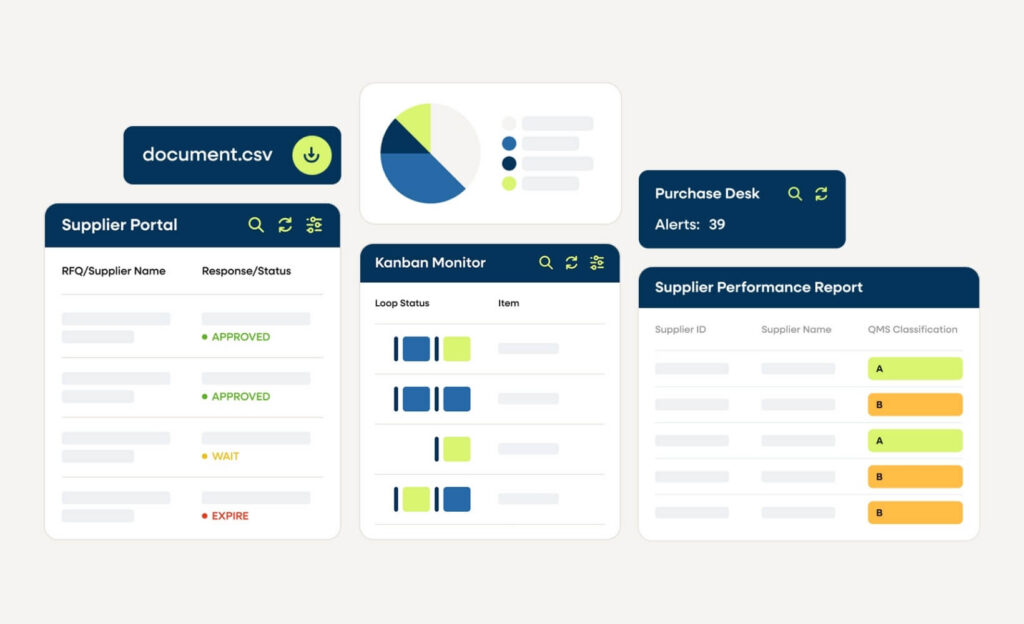
As we worked with teams using AP automation, this pattern came up consistently.
Once invoice processing was running smoothly, the next challenge was managing everything that supports it.
That’s where the Supplier Portal comes in. The goal was to make it easier to manage the supplier side of the process without relying on email and manual tracking.
What Supplier Portal Looks Like in Practice
Supplier Portal gives suppliers a structured way to interact with the process, instead of relying on inboxes and one-off requests.
Through the portal, suppliers can:
- Confirm purchase orders
- Submit invoices in a consistent format
- Update their contact details and documentation
- Check payment status on their own
- Share shipping notifications and related documents
For teams working in an ERP such as QAD, this helps keep supplier activity closer to the same workflow, instead of being spread across different tools.
How This Supports AP Automation

AP automation continues to handle the core workflow.
What Supplier Portal does is reduce the amount of coordination happening outside of it.
In practice, that usually means:
- Fewer status emails coming into AP
Suppliers can check on their own instead of reaching out - Less back-and-forth on invoices
Information is more complete when it’s submitted - Documents are easier to find
Everything is tied to the transaction instead of stored separately - Less reliance on side tracking
Teams don’t need as many spreadsheets or workarounds to stay organized - Better alignment with the ERP
From an IT standpoint, there’s less data sitting outside NetSuite or QAD
It doesn’t change the AP process. It just makes it easier to manage.
A More Complete AP Workflow
For teams that already have AP automation in place, this is often the next step.
Not because something is broken, but because there’s an opportunity to reduce the extra work that builds up around the process.
Bringing supplier communication and activity into a more structured flow helps extend the value of what’s already there.
See What This Looks Like in Practice
If your AP process is running well but still feels like there’s a lot of back-and-forth happening outside the system, it’s worth taking a closer look.
Ask yourself the following:
- Where are supplier conversations happening today?
- How often is your team stepping outside NetSuite or QAD to track something down?
- How much time is spent answering the same types of questions?
If you’re thinking about how to make AP easier to manage as volume grows, we’re happy to walk through it with you.
Learn more about our Supplier Portal solution here.
Published on April 27, 2026
Last Updated on April 29, 2026
Ready to transform your AP automation?

AP Automation, built for complex finance teams. Streamline invoice processing, approvals, and reporting in real time — designed to align with your ERP environment.
Continue reading
Sorry, we couldn't find any posts. Please try a different search.