FOR HIGH-VOLUME NETSUITE FINANCE TEAMS
Automate complex AP inside NetSuite, and close faster every month
The moment your invoices go multi-page and line-item-heavy, your entities cross borders, or your volume climbs, native capture starts handing work back to your team: fields to correct, approvals to chase, exceptions to firefight, bills waiting to post while close clock ticks.
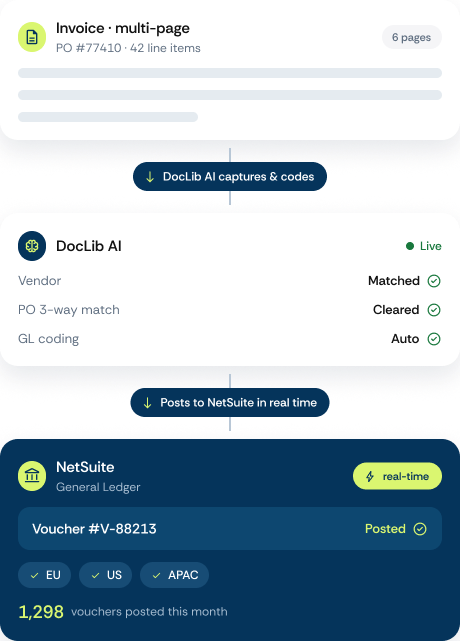
DocLib is the AP layer built for that complexity. It captures and codes even your messiest invoices with far less manual correction, routes approvals by your rules across every subsidiary, entity, and cost center, and posts the vendor bill into NetSuite in real time. No re-keying. No batch-sync lag. NetSuite stays your system of record; your close just gets shorter.
Fewer manual corrections. Real-time payables across every subsidiary. A faster close.
Native Netsuite Capabilities vs DocLib
Clean, standard, single- or few-line invoices

High-volume and growing, staying touchless as invoice counts scale into the thousands per month
AI and OCR extraction with PO matching on straightforward bills
Complex: multi-page, line-item-heavy, exception-heavy invoices
Native approval routing for simple thresholds
Multi-subsidiary, with routing that differs by entity, amount, and cost center
Lower-volume AP with occasional manual review
PO-driven, needing deep matching and fast exception handling
Under close-time pressure, needing real-time payables across entities
Onboarding suppliers that should not run on email and spreadsheets
One system. Two clear wins.

Finance Teams
Fewer manual corrections, faster close, one system of truth

NetSuite admin
No more SuiteFlow rebuilds every time approval rules change.
“Moving from QAD to NetSuite, we kept the AP automation that already worked, invoices captured, coded, and posted into NetSuite in real time.”

PROVEN RESULTS
How Ezurio Preserved AP Continuity While Migrating to NetSuite


Frequently asked questions
For simple, standard, lower-volume AP, often yes. Bill Capture uses AI and OCR to read invoices and match them to POs, and it handles clean bills well. Teams tend to outgrow it when volume climbs, invoices get complex or exception-heavy, or AP spans multiple subsidiaries, which is where a specialist layer like DocLib takes over.
The right tool for complex operations reads non-standard and multi-page invoices without accuracy dropping, does deep PO matching, routes approvals by entity and cost center, and posts to NetSuite in real time. DocLib is built specifically for high-volume, PO-driven, multi-subsidiary AP, so it fits complex NetSuite operations that lighter tools are not designed for.
DocLib is purpose-built for complex, high-volume, PO-driven, multi-entity AP, backed by more than 30 years automating that kind of AP, with native real-time posting into NetSuite. It also natively supports QAD, so teams running both ERPs can standardize AP on one platform.
Yes. DocLib integrates natively and in real time with both NetSuite and QAD, so a mixed estate can run one AP process and one source of truth across both, instead of a separate tool per ERP.
Start with AP Automation. Extend with additional workflows.
AP automation and invoice processing at the core, with the flexibility to extend into supplier collaboration, mobile requisition approvals, and payment automation as your needs evolve.


Supplier Portal
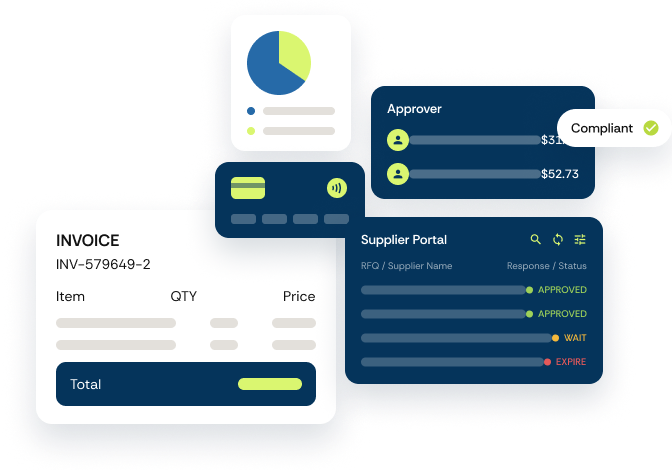
Bring suppliers and buyers together. POs, invoices, ASNs, performance scorecards, and more — every buyer-supplier interaction in one place.

Purchasing Desk
Approve requisitions on the go, so POs don't wait and invoices don't get stuck downstream.

Payment Automation
Extend automation into payment execution while maintaining financial visibility and control.
See it live in a walkthrough
A 30-minute walkthrough, your workflow, your invoices, your numbers. You’ll know whether it fits before the call is over.